In this blog, I am going to explain how we can recognize the object on a touch screen.
Object Recognition is basically identifying the different objects placed on a touch device (touch table). It brings customers into a deeper relationship together with your product and services. It is an interactive way to explain your product to multiple customers at the same time on a touch table.
Setup Requirement –
- An IR touch screen capable of more than 2 touch points.
- .NET Framework
- Windows 10
Basic Implementation –
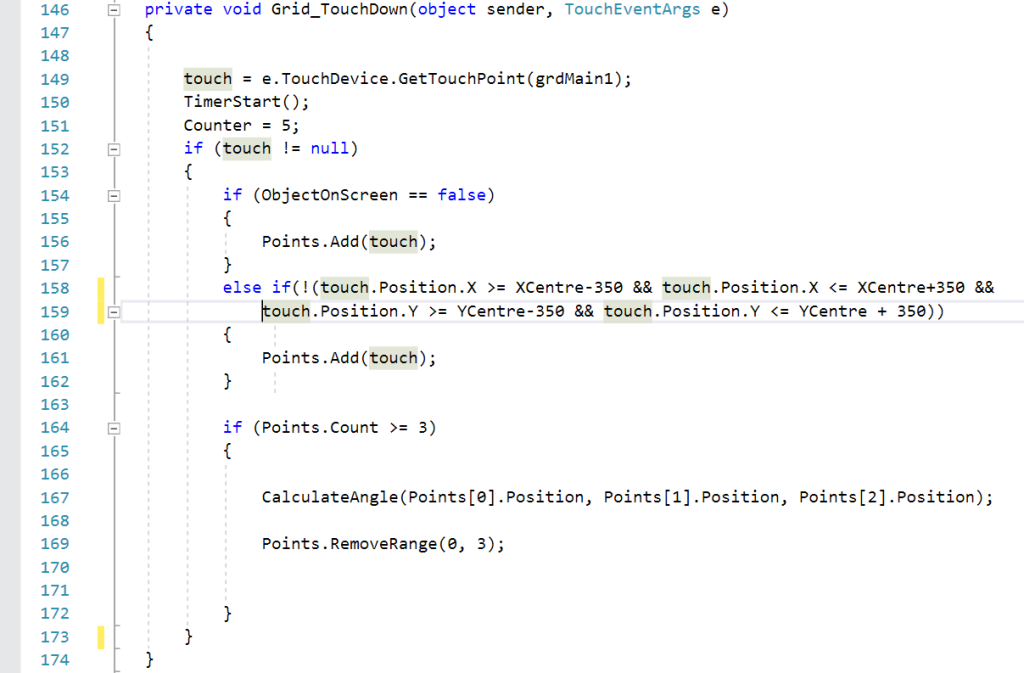
- Get the touchpoints in the pair of 3 and use their (x,y) points to find out the angle and distance between them.
- On the basis of angle and distance, you can distinguish between multiple kinds of objects. (you need to first decide the measurements denotes what objects)
- Store the unique ID of the object. If the same object is placed on the screen at a different location then the content will be shown at a new location using the stored ID.
Multiple Object at the same time –
- To recognize multiple objects at the same time we need to remove the previous object points.
- To prevent object overlapping, Create a boundary or red zone around the object.
- Do not recognize any object which comes under the red zone of another object.