Microsoft Power BI is probably one of the most used applications for creating visual reports. Power BI supports multiple and diverse font families by default but to support your branding guidelines or to make it more appealing for the viewer, can add custom font families to it.
To ensure you choose the right learning management system (LMS) software, here’s what you need to consider:
Let’s get started,
Prerequisite
1. How to check for the fonts to see if they exist or not
Open the Below mentioned folder location from File Explorer on your local machine
“C:\Windows\Fonts”
Then Searched for the custom font, if found then we are good to go else need to install the font first and then save it here in this location
2. How to install the font
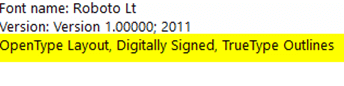
Simply install the font from any browser, just need to make sure that it should have the following highlighted property, to check for this, open your downloaded file, and there you see these details on the top
Implementation
Under the View tab, choose to Save the current theme, so that you can edit the source JSON file directly.
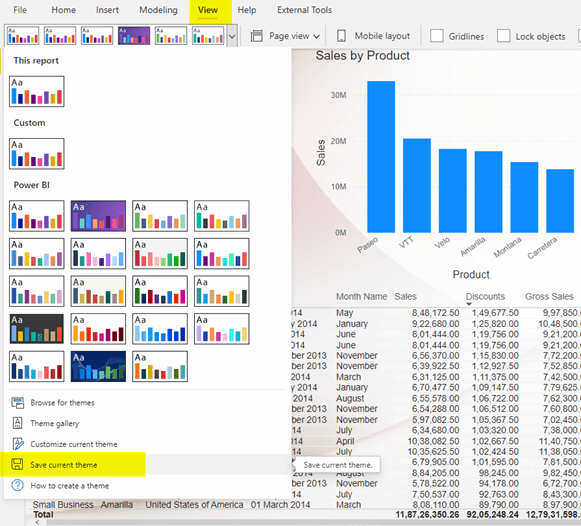
Open the downloaded JSON theme file in Notepad/Notepad++ or Visual Studio, and you will see the current settings for your theme:

{
“name”: “Custom”,
“textClasses”: {
“label”: { “fontFace”: “Arial” },
“callout”: { “fontFace”: “Arial” },
“title”: { “fontFace”: “Arial” },
“header”: { “fontFace”: “Arial” }
}
}
Now replace the current font with your custom font, for example Roboto, then the code will look like the below, save the file and close it.
{
“name”: “Roboto”,
“textClasses”: {
“label”: { “fontFace”: ” Roboto ” },
“callout”: { “fontFace”: ” Roboto ” },
“title”: { “fontFace”: ” Roboto ” },
“header”: { “fontFace”: ” Roboto ” }
}
}
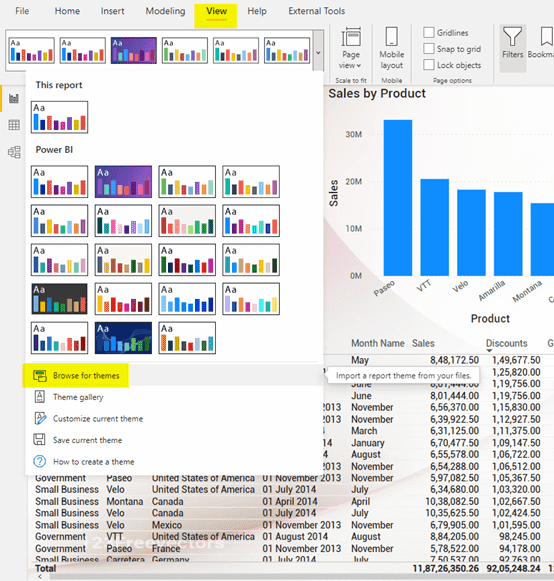
Now open the report and browse the Update JSON file
You will see the changes now:
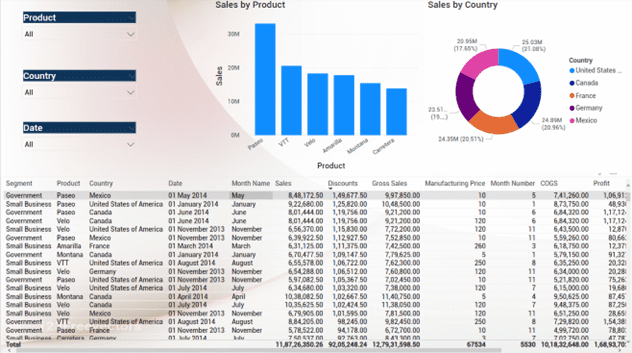
One more important thing to keep in mind: if you manually change the font of the visual once you open your .pbix file, BEFORE importing the theme, and then import the theme, changes will not be applied! I don’t know if it is a bug or what but that’s how it behaves
Workaround
Occasionally it might happen that even after importing the JSON file, font doesn’t get applied to all the visuals simultaneously. You might observe few visuals are unchanged. In such situations, we have a perfect workaround (note that custom fonts work perfectly fine for new visuals).
- Occasionally it might happen that even after importing the JSON file, font doesn’t get applied to all the visuals simultaneously. You might observe few visuals are unchanged. In such situations, we have a perfect workaround (note that custom fonts work perfectly fine for new visuals).
- Select the visual and under the home tab, choose format painter
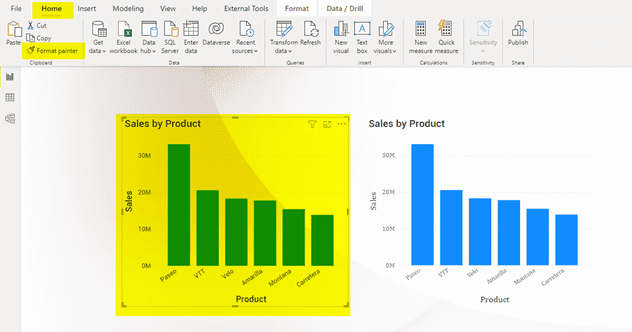
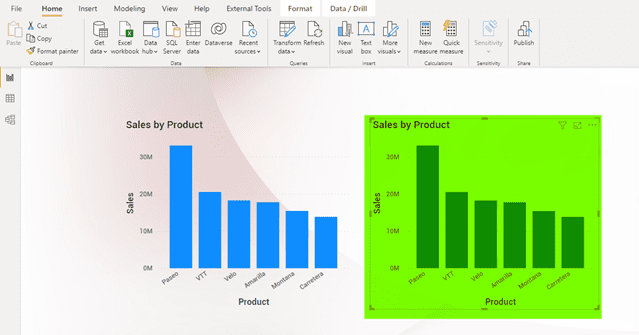
- Use the brush to paint over a selection of text or graphics to apply the formatting. This only works once. To change the format of multiple selections in your document, you must first double-click Format Painter.
- Follow Ignatiuz for more such interesting hands-on articles that can transform the way you work.